Want to make your SwiftUI views more reusable, composable, and clean?
This post explores how to build your own generic containers using Swift’s type system and SwiftUI’s powerful @ViewBuilder + closure patterns.
Whether you’re building custom layouts, DSL-like preview wrappers, or logic-driven composition — understanding generic containers is a key unlock.
💡 SwiftUI Tip: Wrapping Views with Generics and Closures
I recently hit a situation in SwiftUI that seemed small at first — but led to a mini “aha!” moment about closures, generics, and how SwiftUI composes views.
This is one of those tricks that’s easy to overlook until you need it — but once it clicks, it unlocks a whole new layer of composability.
🚧 The Problem
I wanted to create a wrapper for SwiftUI previews — one that adds common styling like background color and full-frame layout, so I wouldn’t have to repeat this over and over:
#Preview {
    VStack {
        MyCoolView()
    }
    .frame(maxWidth: .infinity, maxHeight: .infinity)
    .appBackground()
}
Simple enough, right?
So I tried to create a wrapper like this:
struct PreviewWrapperView: View {
    let content: some View // ❌ Error!

    var body: some View {
        VStack {
            content
        }
        .frame(maxWidth: .infinity, maxHeight: .infinity)
        .appBackground()
    }
}
But Swift gave me the error:
“Property declares an opaque return type, but has no initializer expression…”
🔍 The Fix: Use a Generic + Closure
Swift doesn’t allow some View as a stored property type — it only works for return values.
The correct pattern looks like this:
struct PreviewWrapperView<Content>: View where Content: View {
    @ViewBuilder let content: () -> Content

    var body: some View {
        VStack {
            content()
        }
        .frame(maxWidth: .infinity, maxHeight: .infinity)
        .appBackground()
    }
}
And then you use it like this:
#Preview {
    PreviewWrapperView {
        MyCoolView(param: 123)
    }
}
🤯 But wait — doesn’t MyCoolView(param: 123) need a closure like (Int) -> some View?
This was the part that clicked for me.
No.
You’re not passing MyCoolView as a function.
You’re calling it inside the closure, and returning the result.
That means you’re passing a closure like:
() -> MyView
Which matches () -> Content just fine.
🧠 What this unlocked for me
I realized this pattern is everywhere in SwiftUI:
NavigationStack { ... }Section(header: Text("...")) { ... }Button { ... } label: { ... }
Once you know how to create your own view wrapper using a generic and a closure, you can build anything from:
- DSL-style layout containers
- Reusable environment-aware wrappers
- Onboarding and modal flows
- Themed previews
- Stylized layout shells with safe areas, animations, shadows…
🧪 Bonus: Custom Layout Containers
Now that you understand how to use closures and generics to wrap views, here’s a real-world way to apply this pattern for styling and layout reuse.
Let’s say you want a layout that wraps your screen content in consistent padding, background, and spacing — and optionally adds a footer.
At first, you might be tempted to make the footer closure optional, or try to hack it using AnyView or Footer? tricks. But there’s a cleaner, more Swifty way — and it’s the way Apple does it too.
Instead of creating multiple types, Apple defines multiple initializers in the same struct — and we can do the same.
Here is the wrapper using all we have learned today!
struct StyledScreen<Content: View, Footer: View>: View {
    let content: Content
    let footer: Footer?

    init(
        @ViewBuilder content: () -> Content
    ) where Footer == EmptyView {
        self.content = content()
        self.footer = nil
    }

    init(
        @ViewBuilder content: () -> Content,
        @ViewBuilder footer: () -> Footer
    ) {
        self.content = content()
        self.footer = footer()
    }

    var body: some View {
        VStack(spacing: 24) {
            content
                .padding()
                .background(Color.secondary.opacity(0.1))
                .cornerRadius(12)

            if let footer = footer {
                footer
                    .padding(.top, 32)
            }
        }
        .padding()
        .overlay(
            RoundedRectangle(cornerRadius: 16)
                .stroke(.gray.opacity(0.3), style: StrokeStyle(lineWidth: 1, dash: [6]))
        )
        .frame(maxWidth: .infinity, maxHeight: .infinity)
        .background(Color(.systemBackground))
    }
}
📦 Usage
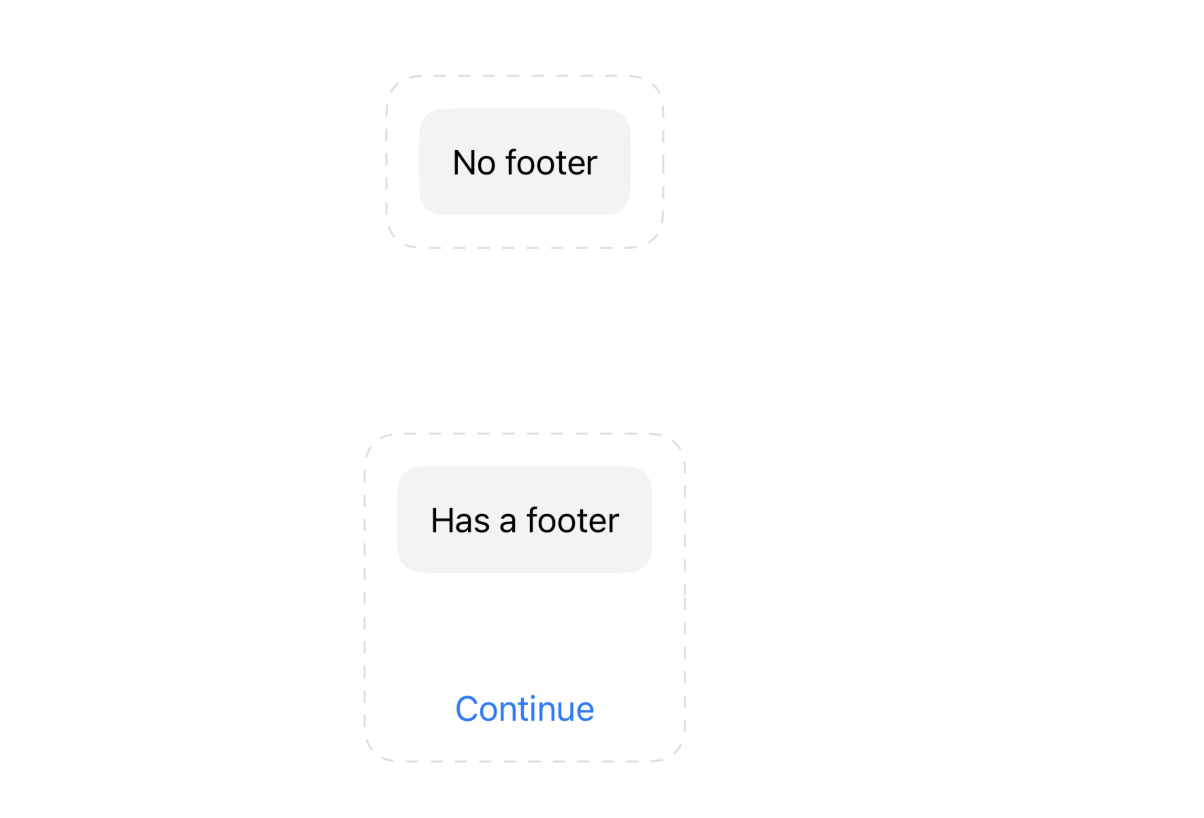
#Preview {
    VStack {
        // With no footer
        StyledScreen {
            Text("No footer")
        }

        // With footer
        StyledScreen {
            Text("Has a footer")
        } footer: {
            Button("Continue") { }
        }
    }
}
This version matches Apple’s API design philosophy.
Here is the result:
🤔 What’s up with where Footer == EmptyView?
This line:
init(@ViewBuilder content: () -> Content) where Footer == EmptyView
might look strange at first — but it’s key to enabling a clean, SwiftUI-style API.
💡 Why it exists:
Our StyledScreen struct uses two generics:
struct StyledScreen<Content: View, Footer: View>
That means Swift needs to know both types — even if the user doesn’t explicitly pass a footer.
If we don’t specify what Footer is, Swift will throw an error like:
“Cannot infer generic parameter ‘Footer’ without more context”
To fix that, we say:
“If the user only provides
content, then assumeFooter == EmptyView.”
This satisfies the compiler and lets us write:
StyledScreen {
    Text("Hello")
}
Without needing to manually pass an EmptyView.
This pattern is used inside SwiftUI itself — like in
NavigationLink,Button, andSection— to support clean, overloaded initializers while keeping everything fully type-safe.
📦 TL;DR
- Use
Content: View+() -> Contentto pass view content into your wrapper - Use
@ViewBuilderif you want to support multiple children - Don’t try to store
some View— use a closure instead - This unlocks powerful layout composition in SwiftUI
✨ Hope this helped someone else!
If you’ve used this pattern in an interesting way, or have a cool layout abstraction — let me know! I’d love to see what you’re building.