Today, I’d like to share a simple trick for comparing the states of files using both the terminal and VSCode.
Comparing files
Typically, when we need to check for differences between two files, we can use git diff if the files are within a Git repository or simply diff if the files are local.
However, these commands lack a user-friendly interface for comparing files, which is where VSCode’s file comparison feature comes in handy.
Steps 👍
- First, we need to obtain the file paths of the files we want to compare.
- Open your terminal and run the following command:
code --diff /path/fileA /path/fileB, then press Enter.

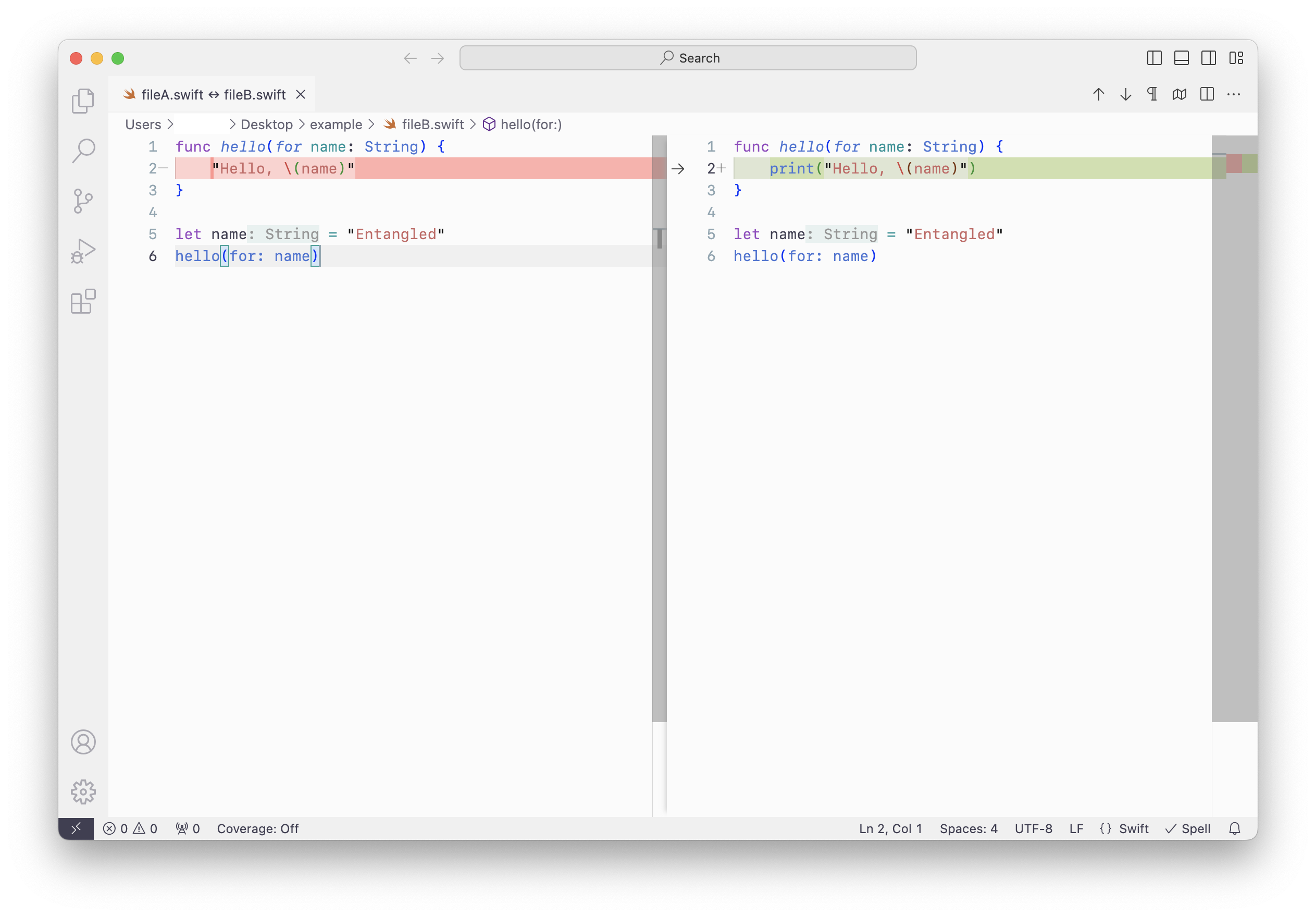
VSCode will open, displaying the differences between both files in a clear and user-friendly manner.
Additionally, any changes you make to the files during this comparison can be conveniently saved back to the original files.
Conclusion
For swift and efficient file comparison, VSCode provides a valuable graphical user interface (GUI). This nifty trick can save time and help prevent mistakes, as you can instantly see how your changes impact the differences between the files.